How To Change Battery In Buick Key Fob
 Gabriel Cooper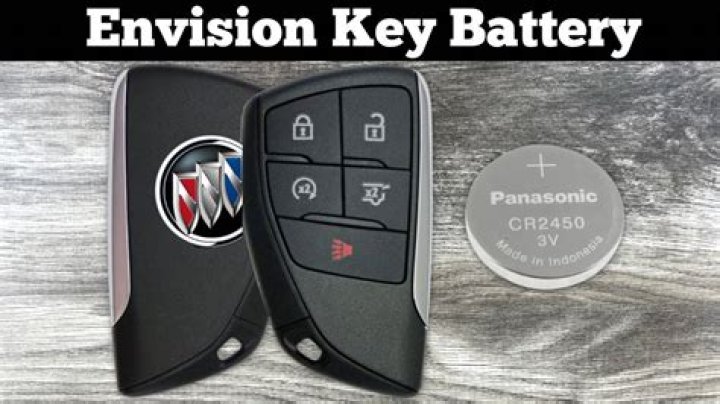
Are you having some issues with your Buick Key Fob? If so, it’s not uncommon for it to not work. The main reason it’s not working is due to the fact that the battery needs to be replaced.
Silky Terrier Dog Breed Playing Aro... Silky Terrier Dog Breed Playing AroundYou can tell that the key fob for your Buick isn’t working as it should when you have to be close to your vehicle for it to work. Perhaps, remote doesn’t work for far away. You probably have to keep pressing the lock and unlock buttons multiple times for it to work. If that’s the case, then you definitely need to replace the battery.
Battery For Buick Keyless Entry Remote
The battery for your Buick Key Fob is the CR2032; this is the exact battery that you’ll need to get. The good news is that you can get the battery online at a hardware store or even a Buick Dealership. It will only take you a few minutes to replace the old battery with a new one.
It’s not that difficult to change the battery in your Buick Key Fob. Here are the steps that you should follow.
Step 1
The first thing you will need to do is to use a dime or some kind of thin object that you can use to put into the slot that is on the side keyless entry remote for your Buick. You will then need to twist the dime or object that you are using so that you can open it and separate the two sides.
Step 2
report this adThe next thing for you to do is to use your and to lift and take the battery out. Once you’ve done that, you’ll need to insert the new battery into the key fob in some position as the previous battery. Also, you should make sure that the positive side of the battery is facing up. After that, take the cover and put it over the remote, and then press both sides together until it snaps back into place.
Step 3
The last that you’ll need to do is to check to see if your Buick Key Fob is working as it should now that you’ve replaced the battery. You should try to lock, unlock, or even start the car. If everything is working, then you’re all set!




