How To Connect The Phone To Lexus Bluetooth
 Emily Cortez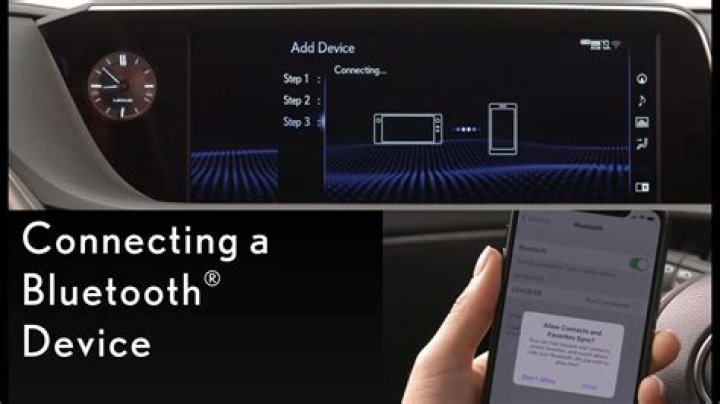
In this article, we are going to discuss how you can pair your cell phone with a Lexus Bluetooth device.
Silky Terrier Dog Breed Playing Aro... Silky Terrier Dog Breed Playing AroundAll actions must be performed when your car is motionless or in a parking state.
Steps to Pair your Cell phone with Lexus Bluetooth System
- Activate Bluetooth on your smartphone
- Make sure your phone is in discovery mode
- Select Menu from your Lexus infotainment device
- Scroll down to the Bluetooth option and select it
- Select Add Bluetooth Device option
- Select the cell phone
- Enter the Pin on your smartphone displayed on the screen
- Select Pair to continue
- Your cell phone is successfully paired with the Lexus infotainment system.
Connect Apple device with Apple Car-play
For mobile connectivity, Lexus supports the Apple Car-play option. By connecting through Apple Car-play you have the access to multiple apps. These apps will be mirrored from your Apple device on the center console of Lexus
- Make sure Sir is enabled on your device
- Connect the I-phone with a USB port
- Select Apple Car-Play App
Now you can even control your Lexus infotainment system with your voice commands
Connect Android device with Android Auto
For mobile connectivity, Lexus supports Android Auto App. By connecting through Android Auto you have access to multiple apps. These apps will be mirrored from your Android device on the center console of Lexus.
- Make sure Android Auto is preinstalled on your device or you can easily install it from the Play-Store
- Connect your Android device with the USB
- On your android device select settings
- Then scroll down to General projection settings
- Turn on the Android Auto
- Your device is successfully connected with the Lexus infotainment system




